Step 1 — You create your space
You fill in a short form: your name, email, the access code you want, the space name, event date, and chosen plan. No credit card for the Discover plan (free): the space opens instantly. For the Soirée plan, you pay €29 by card on Stripe's secure checkout page and the space opens as soon as the payment goes through, invoice sent automatically. The Studio plan goes through a conversation with us.
Immediately, you get two things:
- The access code for your space, shown on screen (to share with your guests).
- The admin password, sent by email (keep it for yourself — it gives you access to the dashboard and full photo download).
Step 2 — You share the code with your guests
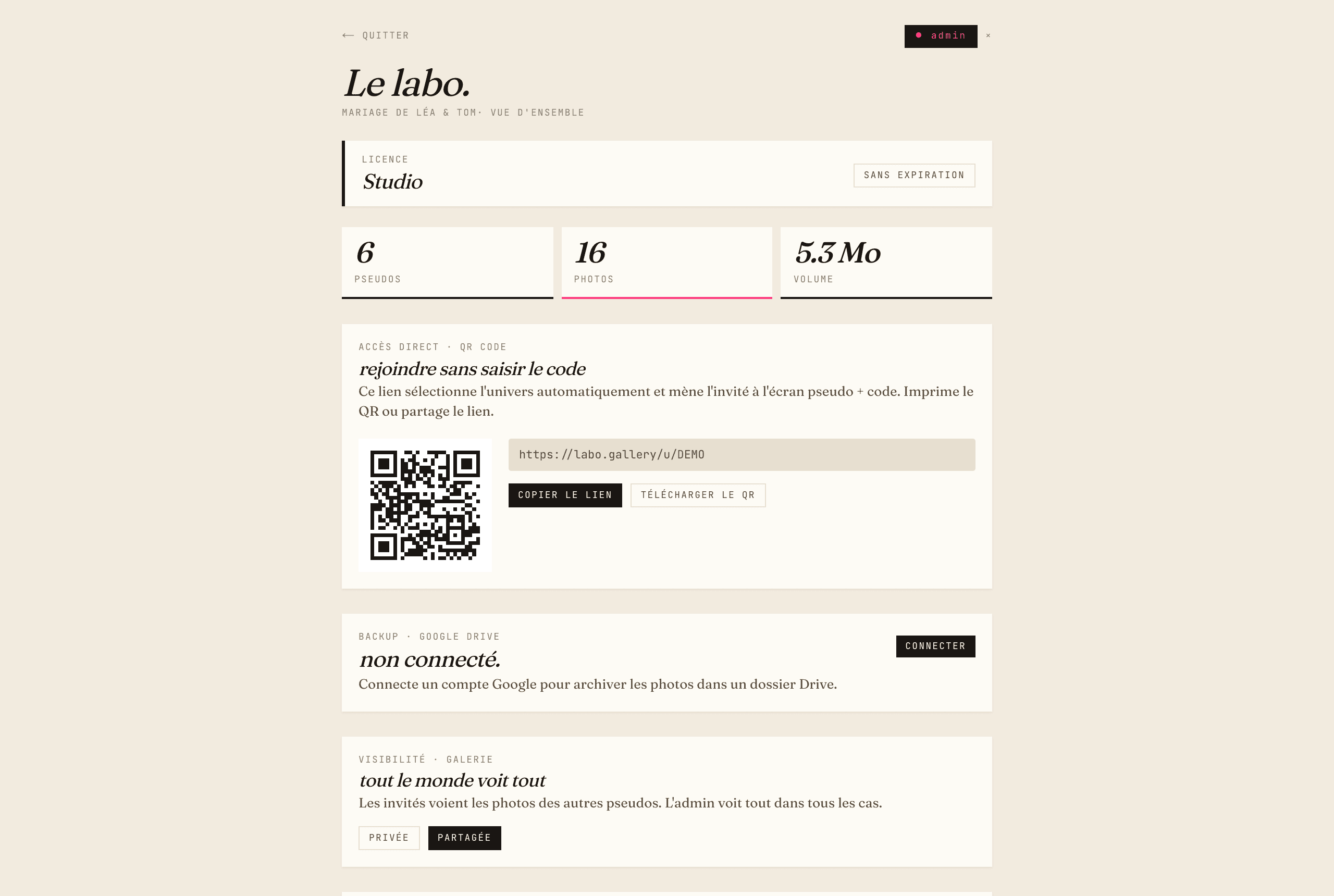
The most visible step. Three main options to get the code to your guests:
- Printed QR code on table cards, the program booklet, an A3 poster at the entrance, or place cards. The method that maximises participation. See our guide to generating and placing a QR code.
- Direct link sent in a group message (
labo.gallery/app+ your code). - Code spoken on the mic — during the cocktail speeches, for example. Works but less effective: always pair it with a visible QR code.
Your guests type the code, pick a nickname (a first name is enough) and land on their personal gallery. They can shoot directly from the camera or pick existing photos. No account, no email, no password.
Step 3 — You get everything, sorted by guest
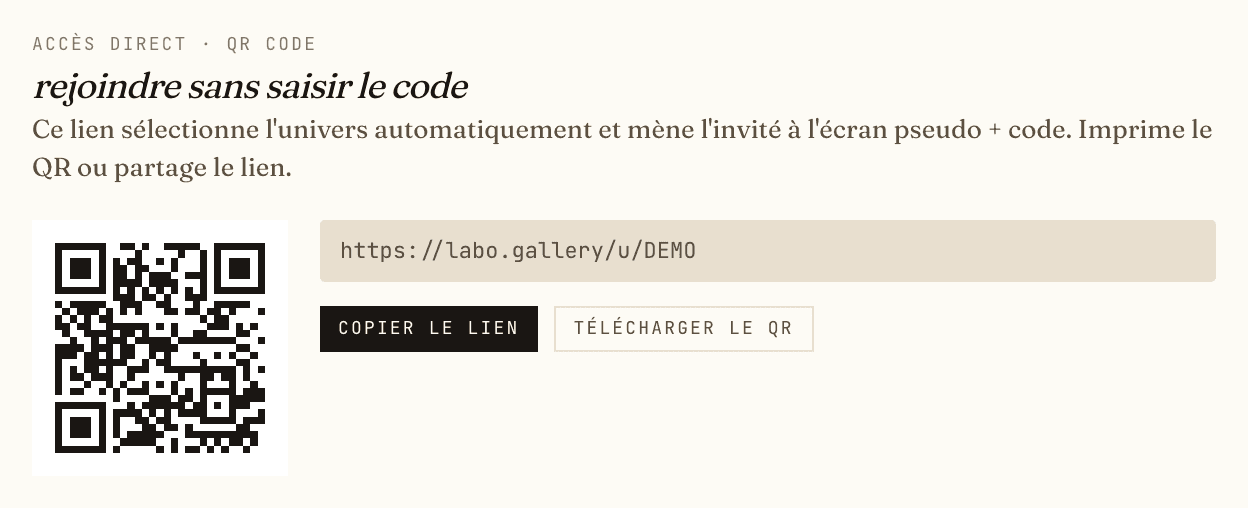
During and after the event, sign in to labo.gallery/app/admin with your admin password and you will see:
- Total photos uploaded, by guest and by film roll (« ceremony », « cocktail », « afterparty »…).
- Thumbnail previews, with the option to delete or moderate.
- A « Download full zip » button — every photo, sorted by guest, in one operation.
- A visibility panel to switch the gallery betweenprivate (each guest sees their own photos) and shared (everyone sees everything). See how to choose between the two modes.
- A Google Drive panel to enable automatic incremental backup to your personal Drive (Soirée and Studio plans).
For your guests: what they see
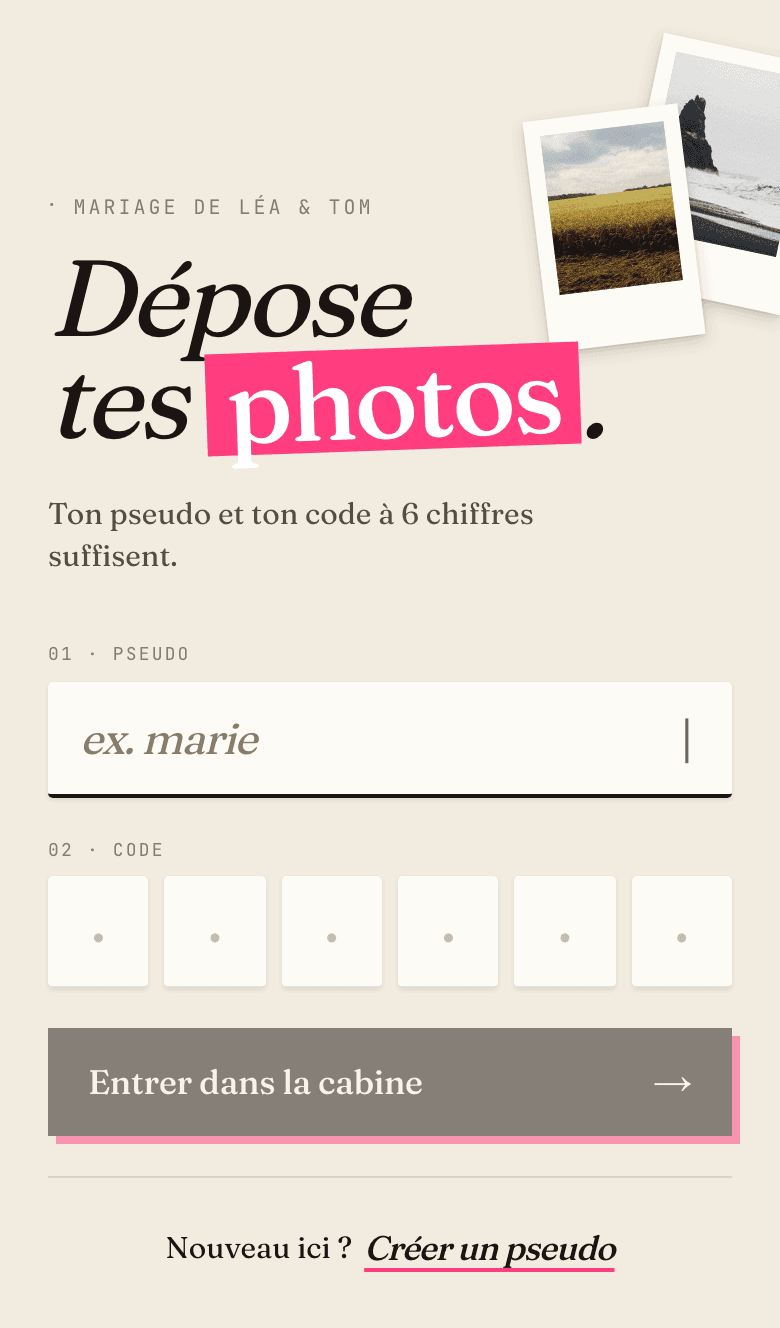
The guest experience is intentionally minimal:
- A landing screen that asks for the 6-digit code.
- Once the code is validated, a nickname field + a 6-digit PIN they choose themselves (so they can come back later without recreating anything).
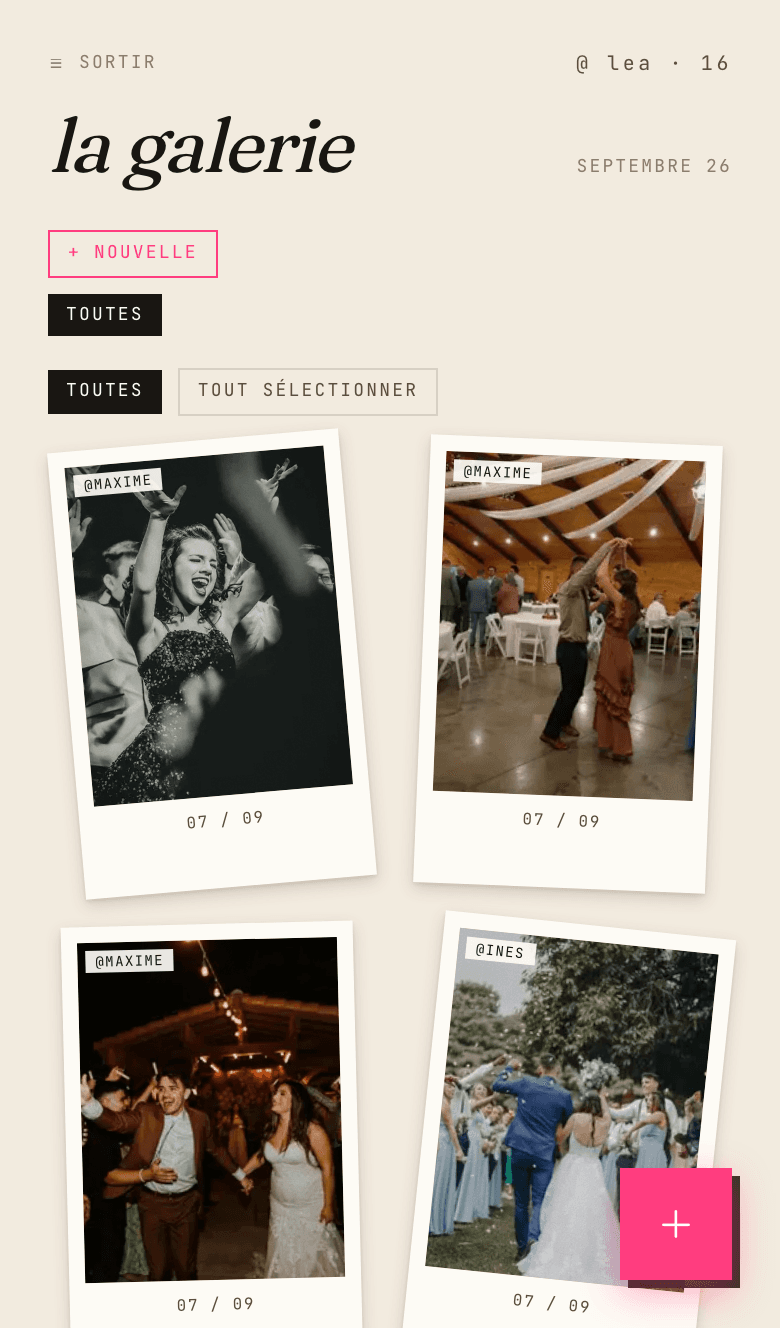
- Their personal gallery, with their own photos and — if the admin switched on shared mode — every photo from the event.
- The ability to create or join thematic film rolls, personal or shared (« the bride », « the speeches »).
Everything runs in the browser. No special permission is asked, except camera access if the guest decides to shoot directly (which is optional — uploading from the phone's camera roll works too).
Frequently asked questions
Do guests need to install an app?
No, there is nothing to install — neither for guests nor for the host. Photobooth is a web application: the gallery opens directly in the phone's browser — Safari on iPhone, Chrome on Android, or any recent browser — right after scanning the event's QR code. There is no App Store or Google Play step, no updates to manage, no system permissions to grant, and no storage used on guests' phones. This has a direct effect on participation: the least tech-comfortable guests — grandparents, busy colleagues — contribute just as much as everyone else, since the only skill required is scanning a QR code and picking a nickname. The host's admin panel works the same way, from a phone or a computer, with no software to set up.
Does the 6-digit code expire?
Two codes coexist in Photobooth, and neither expires while the universe exists. The universe access code — the one embedded in the QR code — lets guests join the event's gallery; it can be shared weeks before the date and keeps working afterwards, which makes it easy to chase latecomers. The personal 6-digit PIN is different: each guest picks it on first connection and uses it to find their own gallery again from any phone. Both stay active for the plan's entire retention period: 30 days on Discover, 6 months on Soirée, unlimited on Studio. In practice, a wedding photo collection can therefore stretch over several months, until the very last guests have dropped their shots — no link rot, no expiring invitations.
Can I test before paying?
Yes, and it is the recommended path. The Discover plan is entirely free and requires no credit card: it opens a full universe, capped at 100 photos and 30 days of retention. It is not a crippled demo: it is exactly the same product as the Soirée plan — same film rolls, same admin panel, same zip download — simply capped in volume and duration. The sensible approach: create the test universe one to two weeks before the event, ask two or three close friends to scan the QR code and drop a few photos, check the gallery and the zip, then upgrade to the Soirée plan (€29, one-time payment) for the big day if the trial convinces you. For a small event — a dinner party, a bachelorette weekend with a dozen people — the free plan can even be enough on its own.
How far in advance should I set up?
There is no technical lead time: the universe opens immediately after the form (and the online payment for the Soirée plan). In practice, allow 3 to 7 days before the event — ideally 7 to 14 days for a wedding. That time is not for the service itself but for everything around it: printing the QR codes and integrating them into your supports (table cards, entrance sign, menus), running a real-life test with two or three guests to get familiar with the gallery, and preparing shared thematic film rolls if the event calls for them — "ceremony", "cocktail hour", "speeches", "dance floor" for a wedding. A well-placed, well-tested QR code makes a measurable difference in participation: that preparation, more than the tool itself, determines how many photos you collect.
What happens after the event?
The collection first keeps growing on its own: the gallery stays open after the event, and guests can drop photos over the following days — a significant share of the shots often arrives then. Once the collection is complete, the host downloads a zip of everything from the admin panel, sorted into folders by guest nickname, in one click; a single guest's zip can also be retrieved separately. If Google Drive backup was enabled (Soirée and Studio plans), the photos have already been copied along the way into a "Photobooth/" folder of the host's personal Drive, where they remain indefinitely. The originals stay available on Photobooth until the end of the plan's retention period — 30 days on Discover, 6 months on Soirée — after which the zip or the Drive folder becomes the reference copy.